Trinetra
Trinetra: The Divine Eye of Mahakumbh
Team ID: TH1296
🌟 Overview
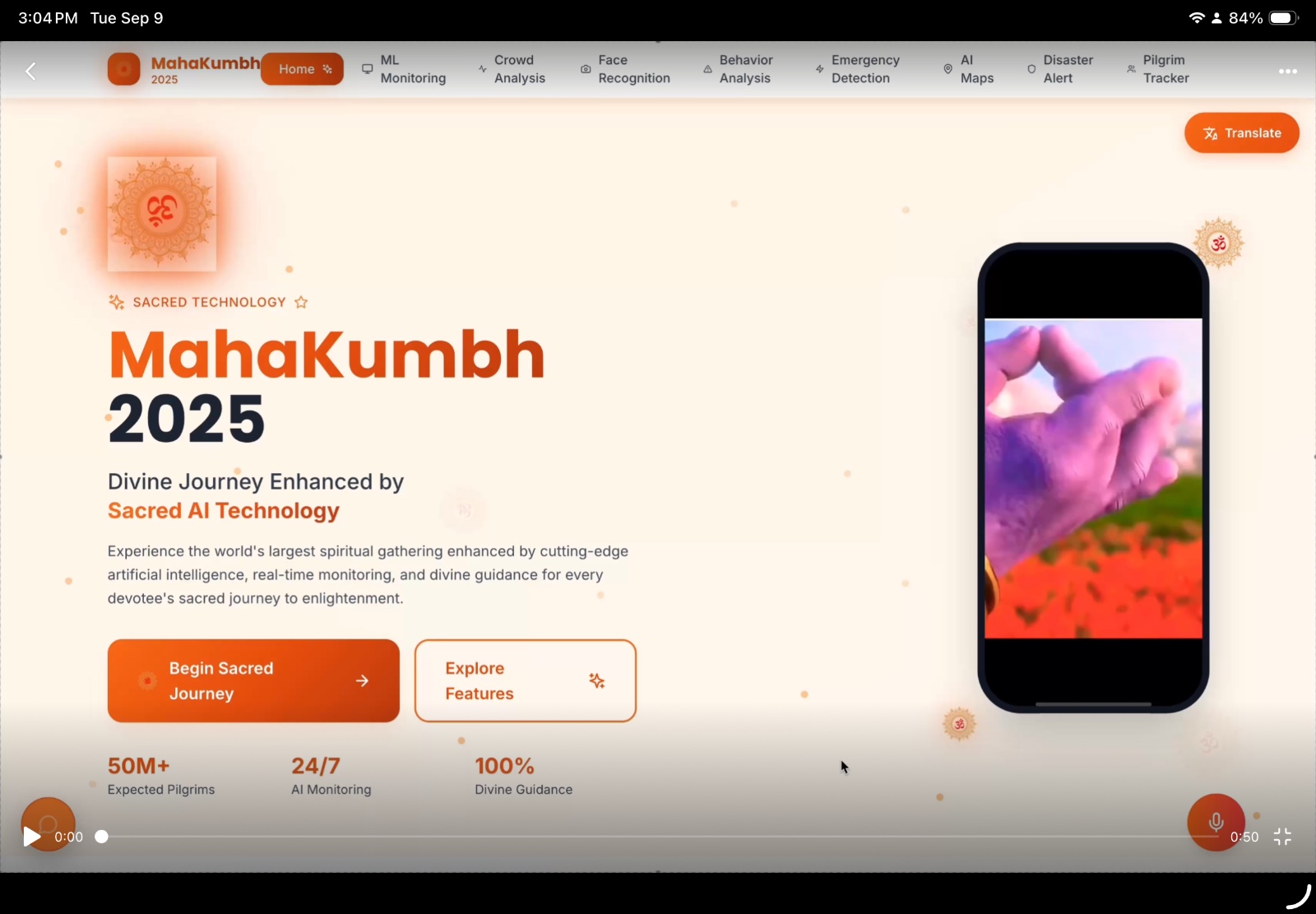
Trinetra is an AI-powered surveillance and assistance system designed for large-scale religious gatherings like Mahakumbh. The platform ensures real-time crowd monitoring, rapid emergency response, and seamless navigation for millions of pilgrims through integrated mobile and web interfaces. It features advanced AI analytics including facial recognition for lost & found, GPS-based family tracking with automated alerts, disaster prediction, and dynamic emergency routing.
🎯 Problem & Solution
Problem Statement
Mass gatherings at events like Mahakumbh face critical challenges including:
- Family separation in dense crowds
- Uncontrolled crowd movement leading to stampede risks
- Delayed emergency detection and response
- Overstretched infrastructure with limited real-time visibility
- Difficulty in guiding people safely during crises
Solution
Trinetra provides a comprehensive AI-powered solution integrating:
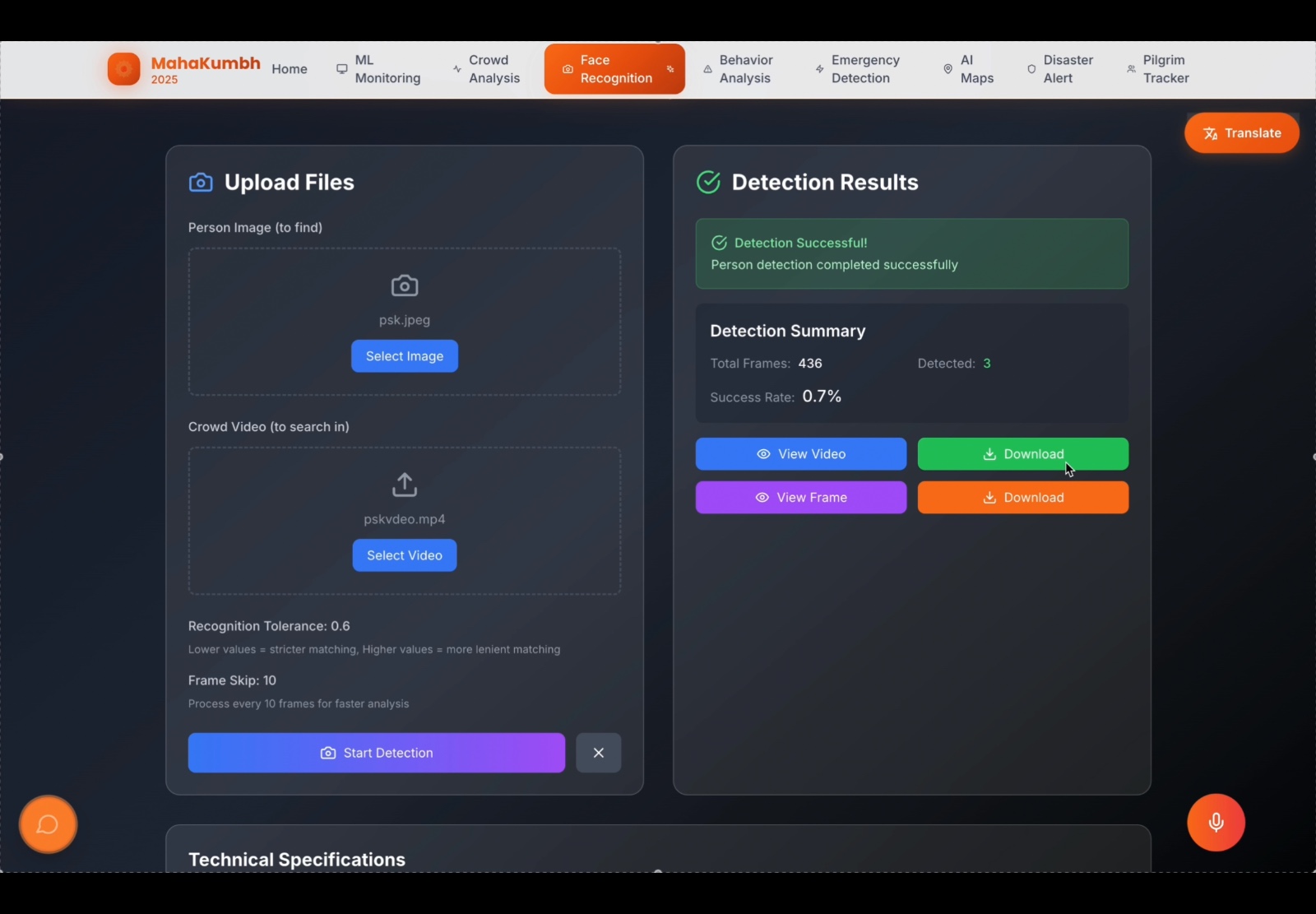
- Facial Recognition Technology for rapid lost person recovery
- Real-time GPS Family Tracking with automated distance alerts
- Predictive Analytics for disaster forecasting
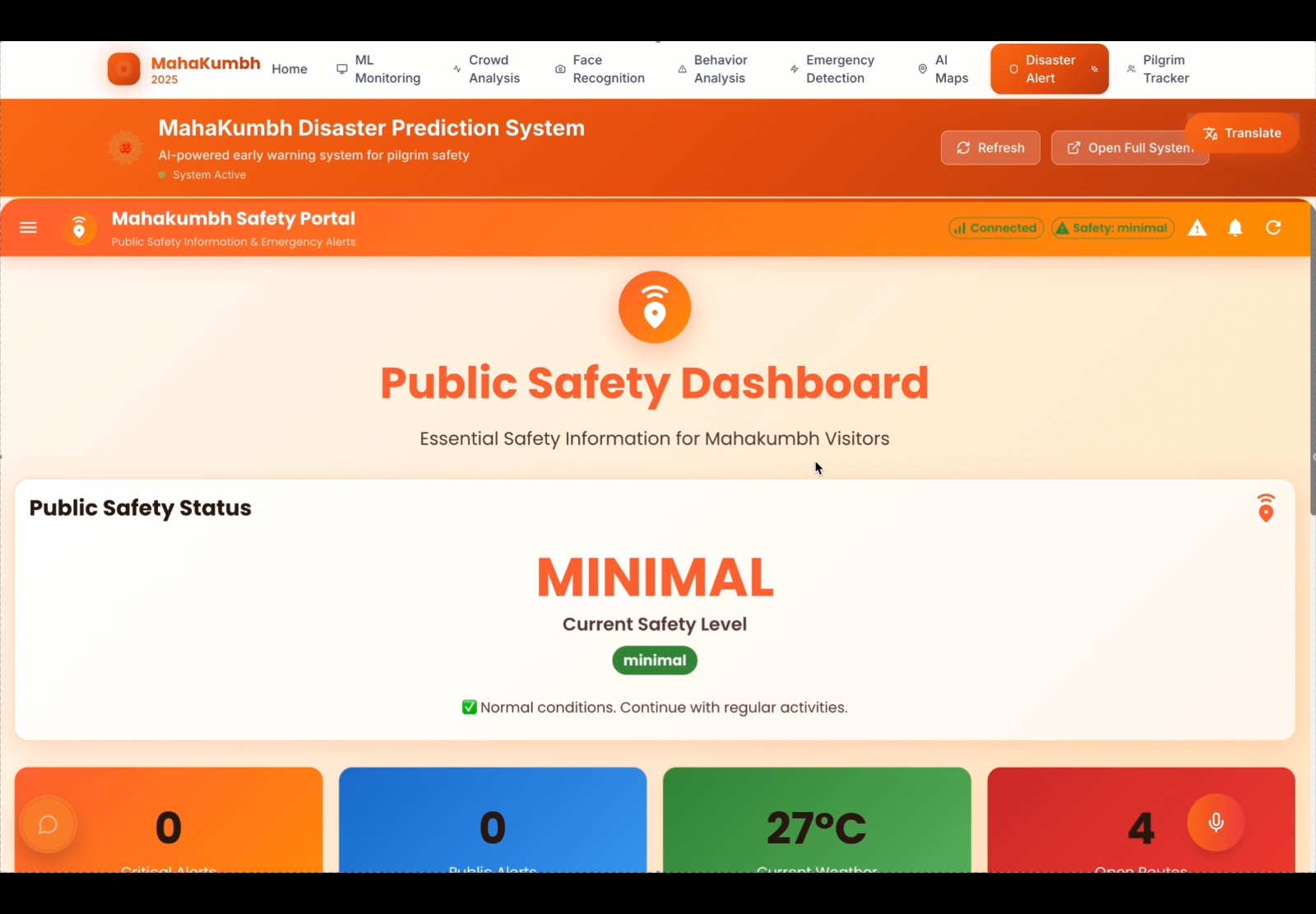
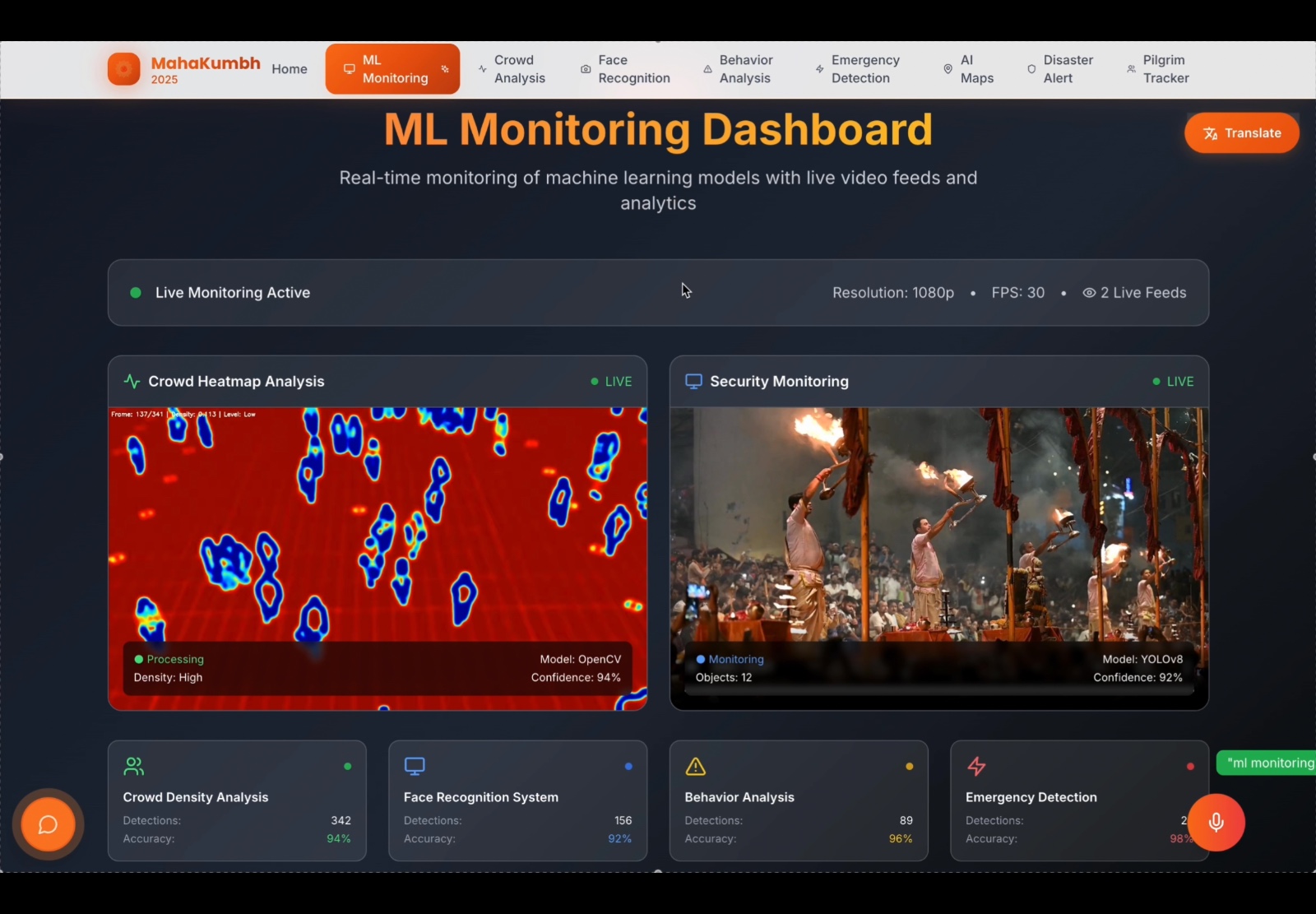
- Live Crowd Density Heatmaps for optimal resource allocation
- Instant SOS Emergency Response system with ambulance booking and tracking
- Offline AI Navigation for uninterrupted access
- Centralized Dashboards for unified monitoring and response coordination
🏗️ System Architecture
🔄 Logic & Workflow
Data Collection
- User registration with family member details and missing person images
- Real-time GPS location data from registered family members
- Live CCTV streams and sensor data from multiple surveillance points
- Weather data, satellite imagery, and crowd movement patterns
Processing
- AI Facial Recognition using FaceNet technology for matching uploaded images with live CCTV feeds
- Machine Learning Algorithms analyzing crowd density and movement patterns using YOLO and OpenCV [[memory:8341815]]
- Real-time Processing generating automated alerts for family separation (500m+ distance), emergency situations, and anomaly detection
Output
- Instant notifications for lost family members with precise location coordinates
- Real-time crowd density heatmaps and risk zone alerts
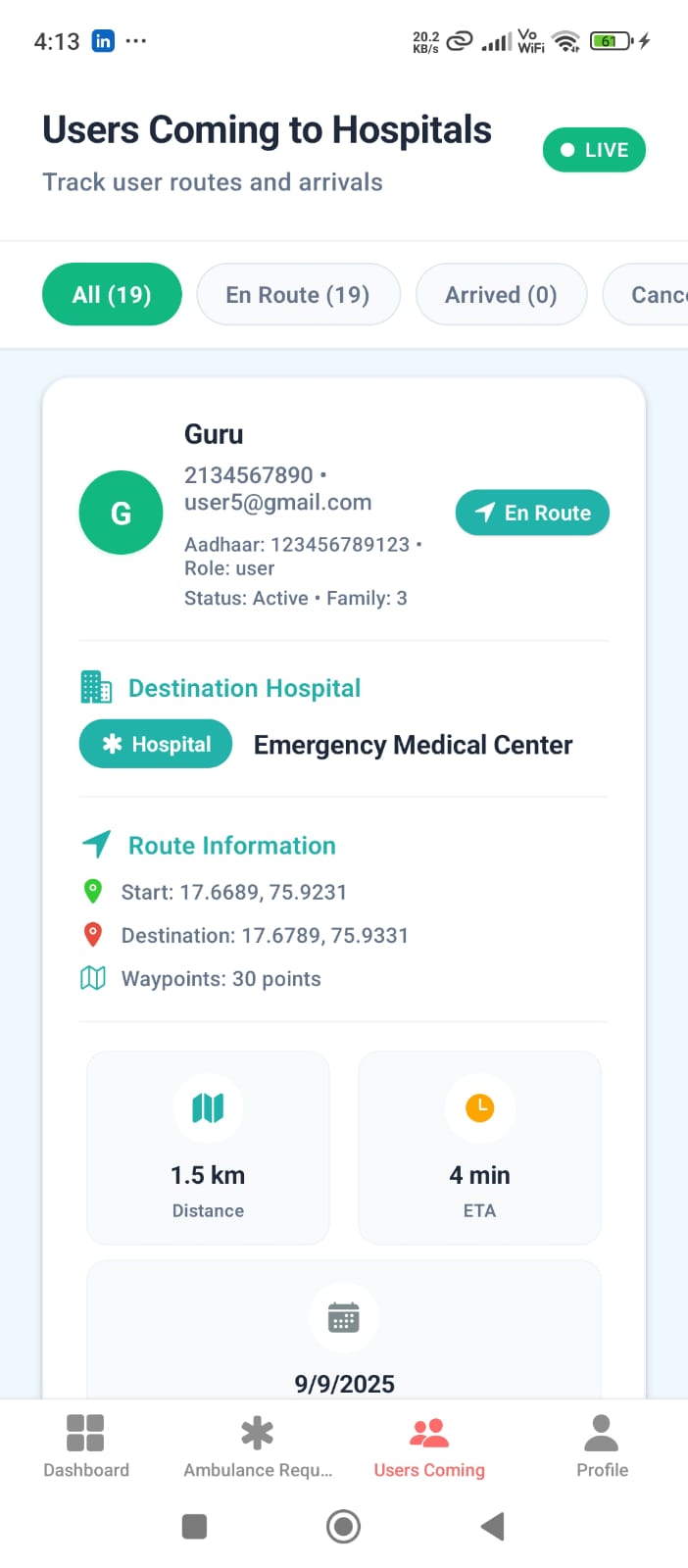
- Dynamic route suggestions and traffic analysis
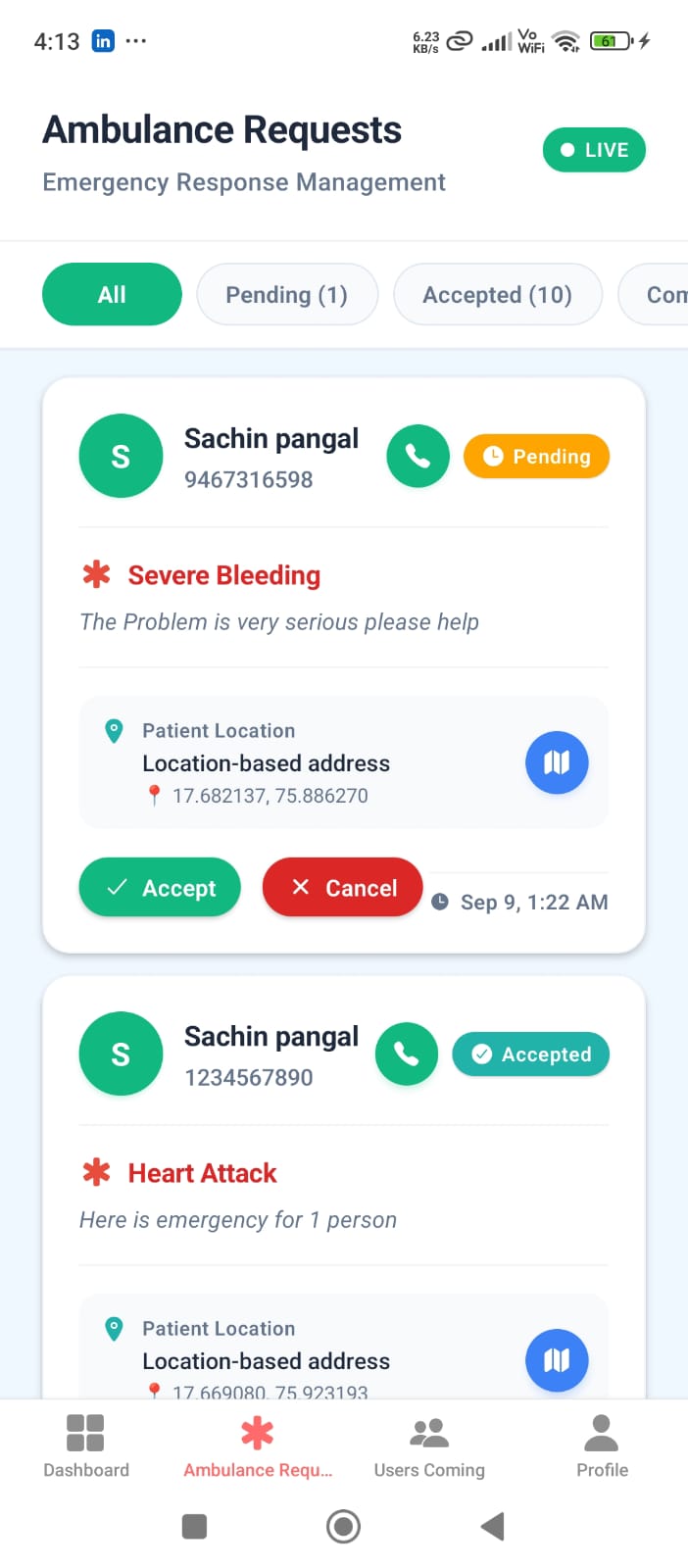
- Emergency response coordination with ambulance dispatch and tracking
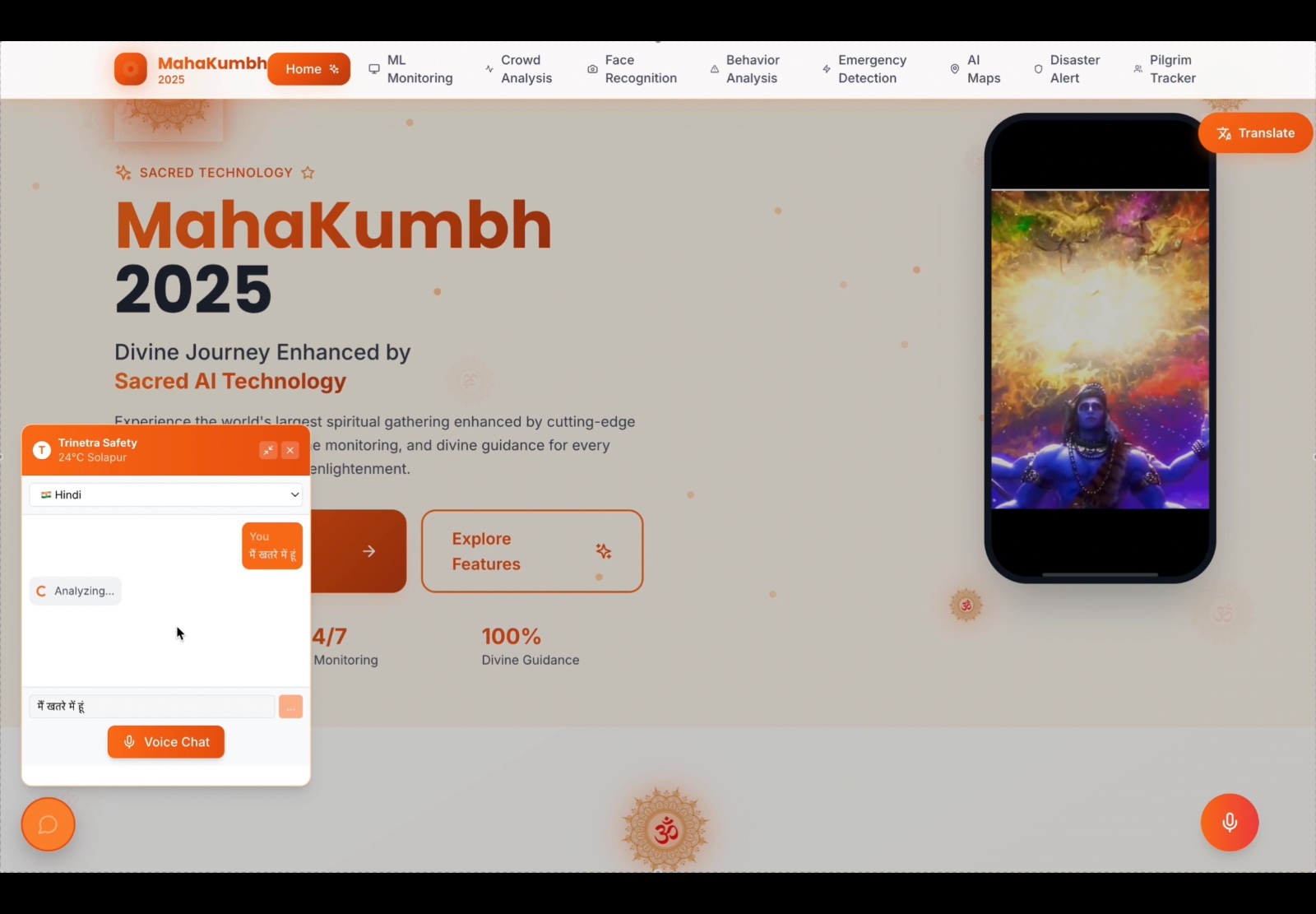
- Multilingual chatbot assistance for pilgrim guidance
👥 User Roles
Pilgrim Interface
- Register and manage family member profiles
- Report missing persons with image upload
- Receive automated alerts for family separation
- Access real-time locations of nearby hospitals
- Book ambulance services with live tracking
- Use offline AI navigation for Kumbh area mapping
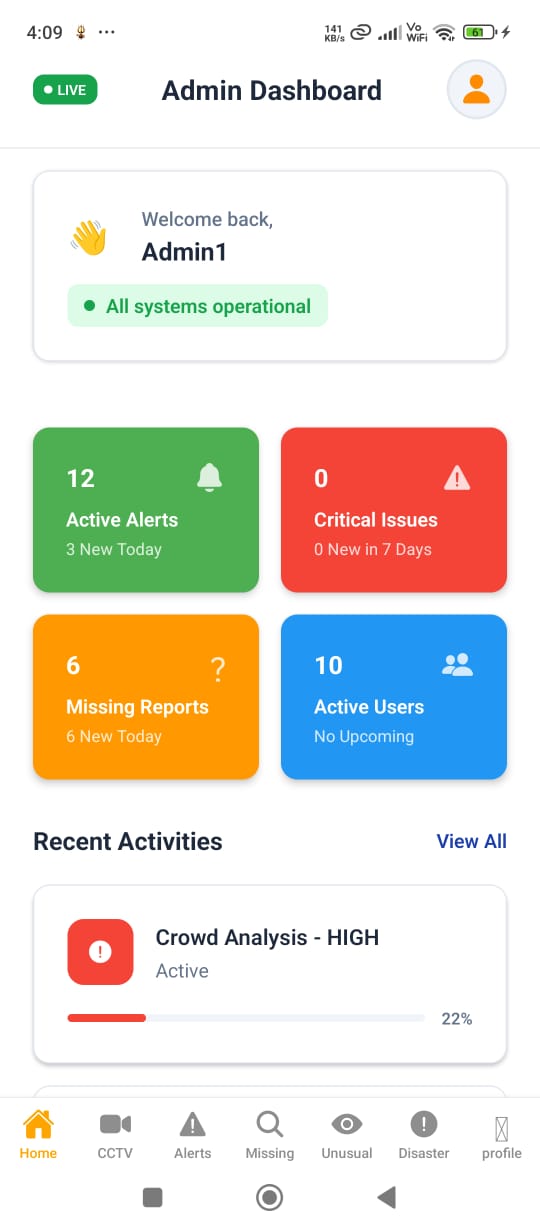
Admin Dashboard
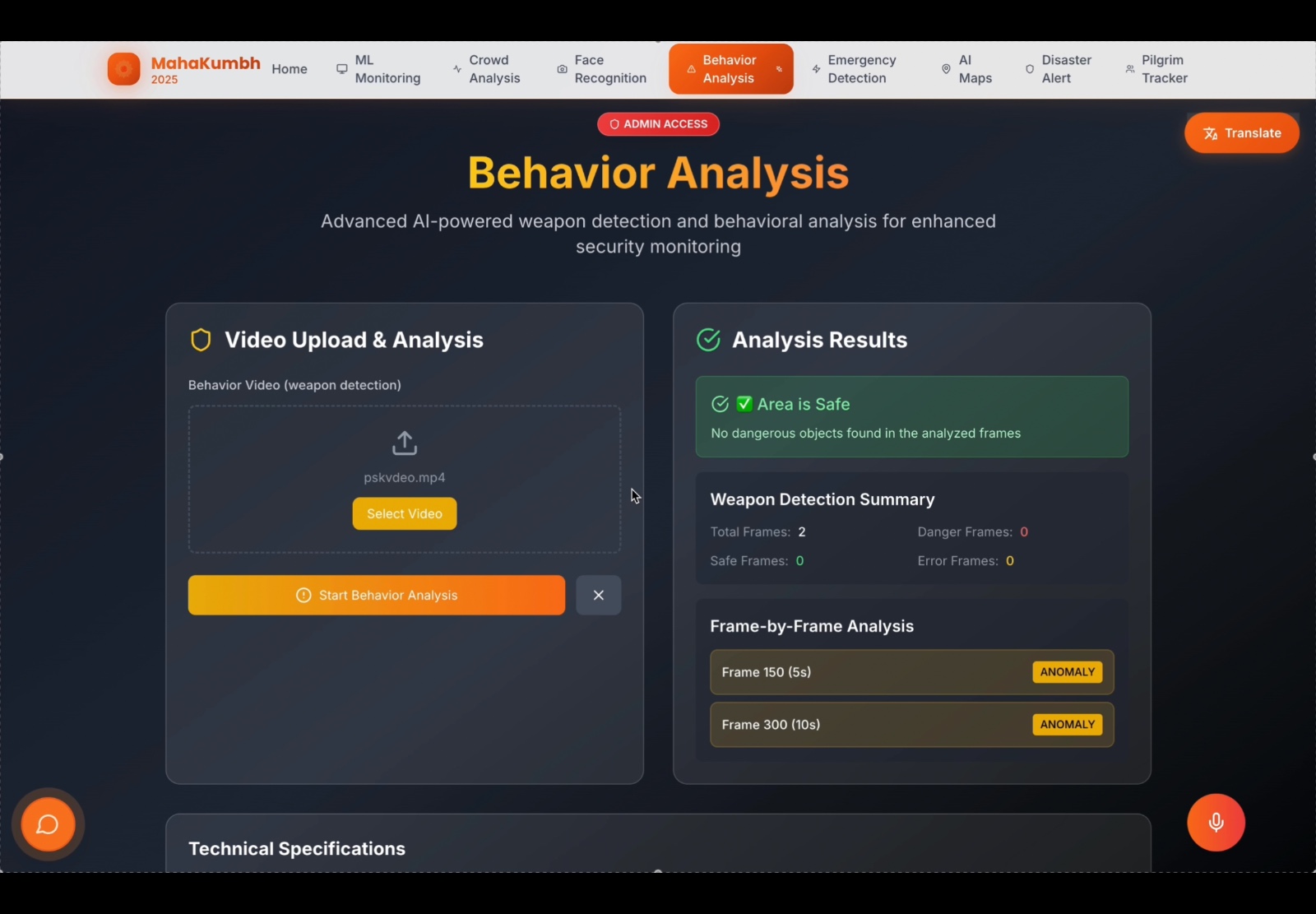
- Monitor live CCTV feeds with automated facial recognition
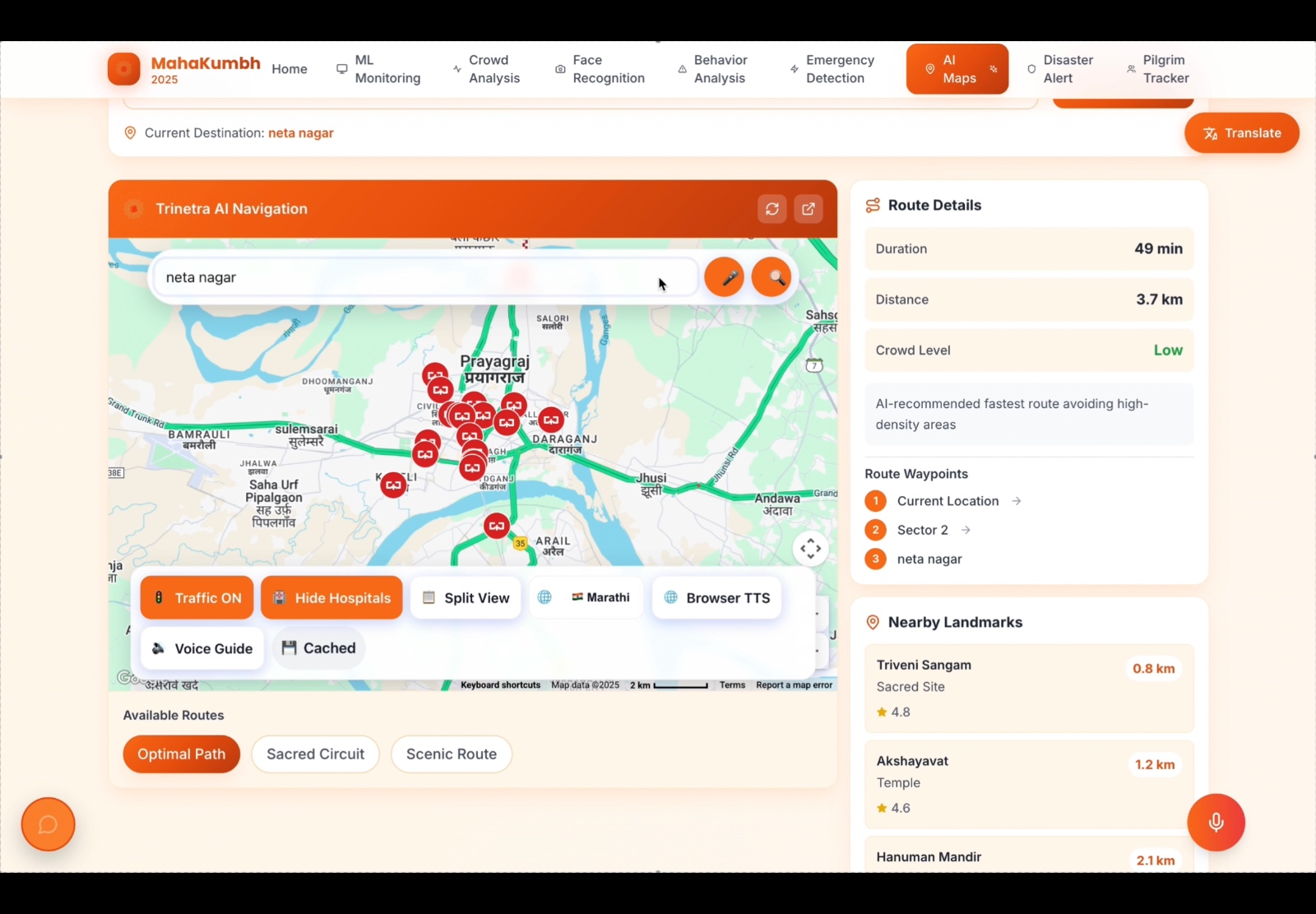
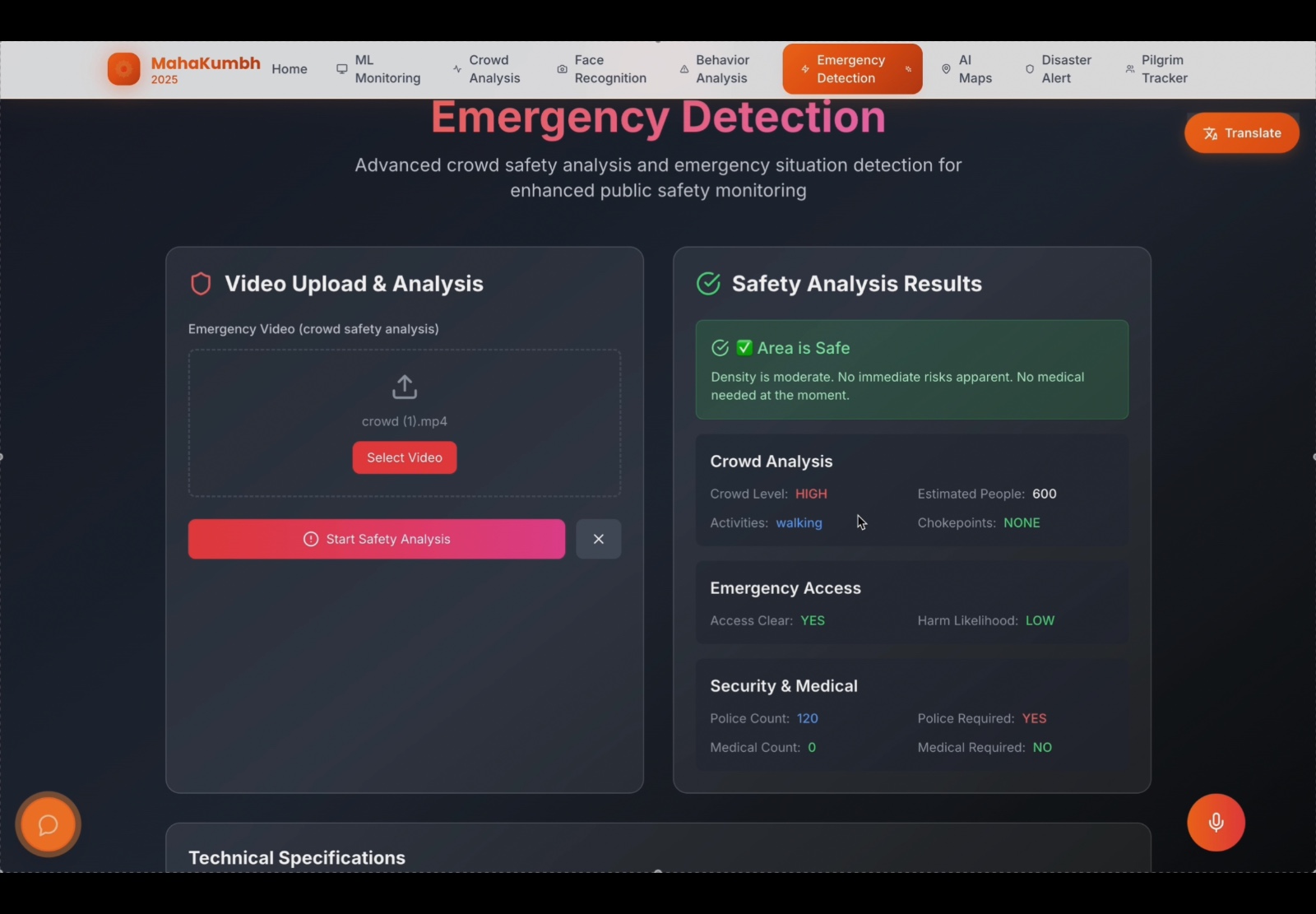
- Analyze real-time crowd density heatmaps
- Receive instant alerts for detected anomalies
- Coordinate emergency response and resource allocation
- Access advanced disaster prediction tools
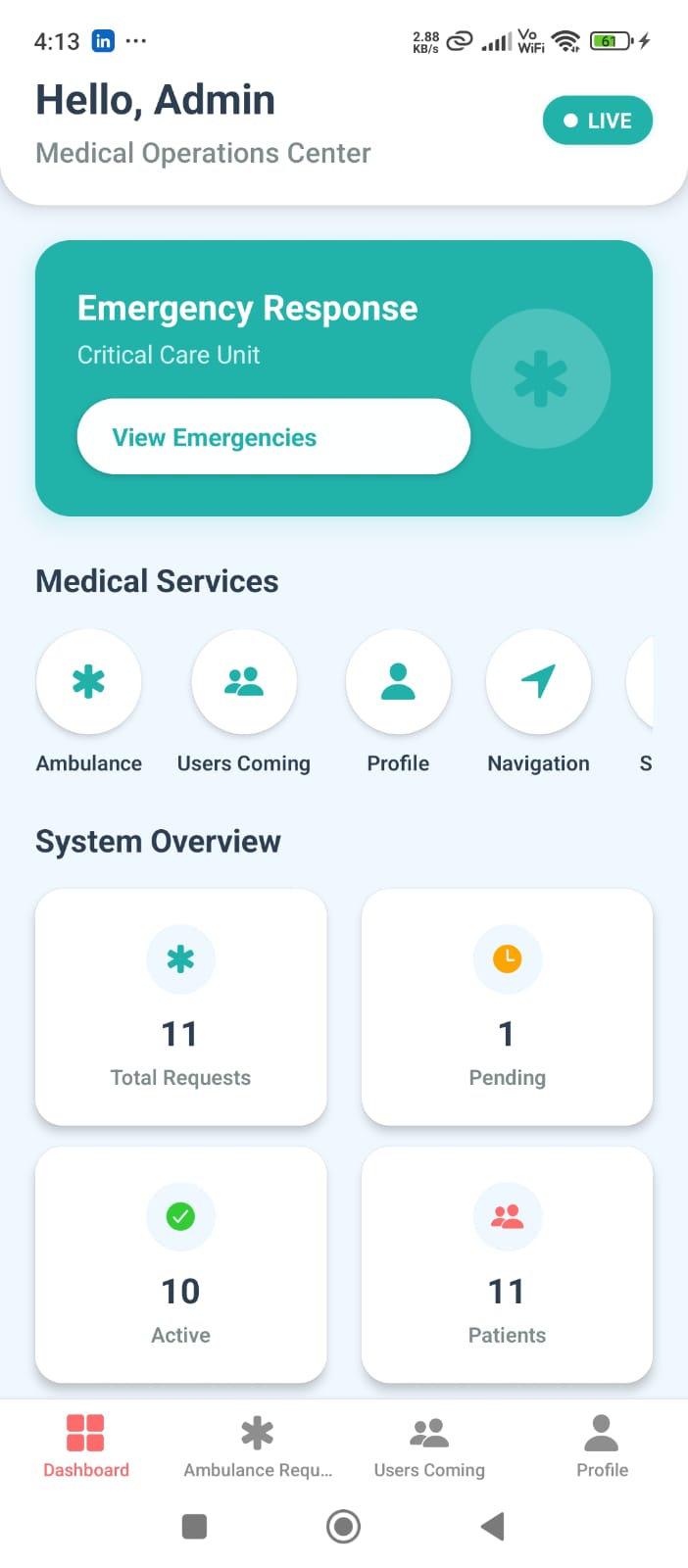
Medical Admin Interface
- Process ambulance booking requests
- Track and coordinate ambulance dispatch
- Manage medical camp information
- Monitor emergency response metrics
🛠️ Tech Stack
Frontend
- React.js - Main web application framework
- Next.js - Server-side rendering and optimization
- React Native - Mobile application development
- Tailwind CSS - Utility-first CSS framework
Backend
- Node.js + Express - Web server and API development
- FastAPI - High-performance Python API framework
- Flask - Lightweight Python web framework
Database
- PostgreSQL - Primary relational database
- Firestore - NoSQL database for real-time data
- Redis - In-memory data structure store
AI/ML
- Python - Core programming language
- OpenCV - Computer vision library
- YOLO - Real-time object detection
- FaceNet - Face recognition technology
- Gemini AI - Advanced AI capabilities
Real-time Communication
- Socket.io - Real-time bidirectional event-based communication
- WebRTC - Peer-to-peer communication
- Kafka - Distributed streaming platform
Security & Deployment
- JWT Authentication - Secure token-based authentication
- Docker - Containerization platform
- AWS EC2 - Cloud computing service
- Prometheus & Grafana - Monitoring and visualization
📁 Project Structure
Trinetra/
├── ai-guided-map/          # AI-powered navigation system
├── crowd-detection/        # Real-time crowd monitoring
├── gun-detection/          # Weapon detection system
├── image-recognition/      # Image processing and analysis
├── lost-and-found/         # Facial recognition for missing persons
├── mahakumbh-disaster-prediction/  # Disaster prediction system
├── peoples/               # People counting and analysis
├── Trinetra/              # Main React application
└── images/                # Project documentation images
📱 Mobile App (APK)
Download and Install
The Trinetra mobile application is available as an APK file for Android devices.
APK File: base.apk
Installation Instructions
Method 1: Direct Installation (Android)
- Enable Unknown Sources:
- Go to Settings → Security → Unknown Sources
- Enable “Install from Unknown Sources” or “Allow from this source”
- Download APK:
- Download the
base.apkfile from the repository - Transfer to your Android device via USB, email, or cloud storage
- Download the
- Install:
- Open the APK file on your Android device
- Tap “Install” when prompted
- Grant necessary permissions (Location, Camera, Storage)
Method 2: Using ADB (Advanced)
# Install via ADB (Android Debug Bridge)
adb install base.apk

# Or install and grant permissions
adb install -g base.apk
Mobile App Features
- Real-time Family Tracking with GPS coordinates
- Emergency SOS with one-tap ambulance booking
- Lost Person Reporting with photo upload
- Offline Navigation for Kumbh area mapping
- Multilingual Support for diverse pilgrim community
- Push Notifications for alerts and updates
System Requirements
- Android Version: 6.0 (API level 23) or higher
- RAM: 2GB minimum, 4GB recommended
- Storage: 100MB available space
- Network: WiFi or 4G/5G for real-time features
- Permissions: Location, Camera, Storage, Network Access
🚀 Quick Start
Prerequisites
- Docker and Docker Compose
- Node.js 18+ (for local development)
- Python 3.8+ (for local development)
Using Docker (Recommended)
- Clone the repository
git clone <repository-url> cd Trinetra - Start all services
docker-compose up -d - Access the applications
- Main Application: http://localhost:3000
- AI Guided Map: http://localhost:3001
- Crowd Detection: http://localhost:5000
- Gun Detection: http://localhost:5001
- Image Recognition: http://localhost:5002
- Lost & Found: http://localhost:5003
- Disaster Prediction Backend: http://localhost:5004
- Disaster Prediction Frontend: http://localhost:3002
- User Frontend: http://localhost:3003
- People Counting: http://localhost:5005
Manual Setup
1. Main React Application (Trinetra)
cd Trinetra
npm install
npm run dev
2. AI Guided Map
cd ai-guided-map
npm install
npm run dev
3. Crowd Detection
cd crowd-detection
pip install -r requirements.txt
python app.py
4. Gun Detection
cd gun-detection
pip install -r requirements.txt
python main.py
5. Image Recognition
cd image-recognition
pip install -r requirements.txt
python app.py
6. Lost & Found
cd lost-and-found
pip install -r requirements.txt
python app.py
7. Disaster Prediction Backend
cd mahakumbh-disaster-prediction/backend
pip install -r requirements.txt
python app.py
8. Disaster Prediction Frontend
cd mahakumbh-disaster-prediction/frontend
npm install
npm run dev
🔧 Configuration
Environment Variables
Each service requires specific environment variables. Copy the example files and configure:
# For Python services
cp gun-detection/env.example gun-detection/.env
cp image-recognition/env.example image-recognition/.env

# Configure your API keys and database connections
API Keys Required
- Google Maps API (for navigation)
- Gemini AI API (for AI features)
- Weather API (for disaster prediction)
- Satellite imagery API
📊 Features Showcase
Real-time Crowd Monitoring
Facial Recognition System
Emergency Response Dashboard
Disaster Prediction Analytics
GPS Tracking Interface
.jpeg)
Medical Emergency System
Navigation Interface
Admin Control Panel
Real-time Analytics
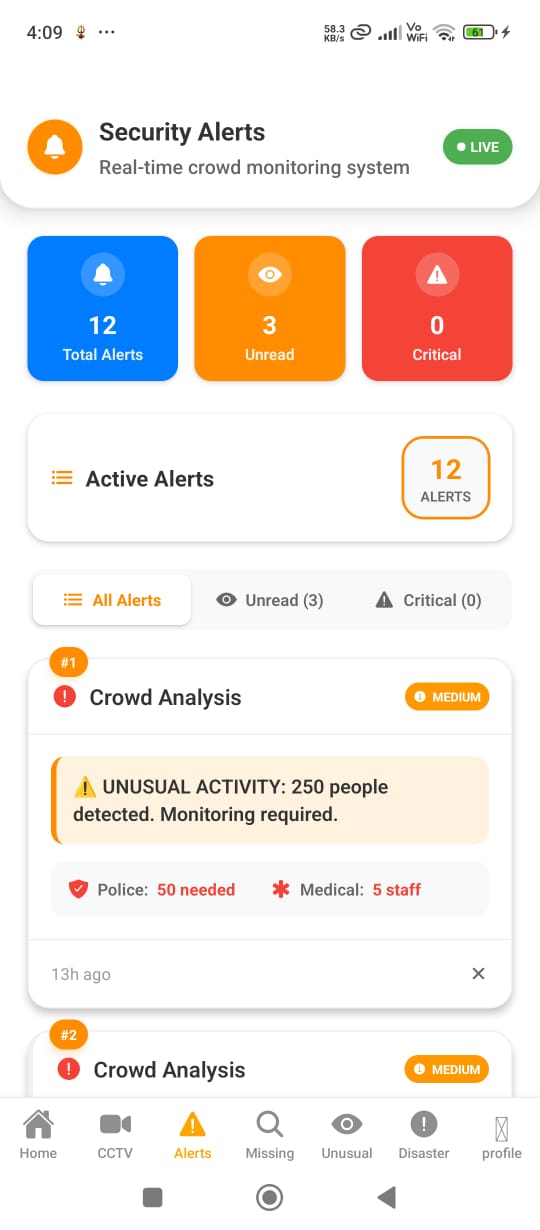
Security Monitoring
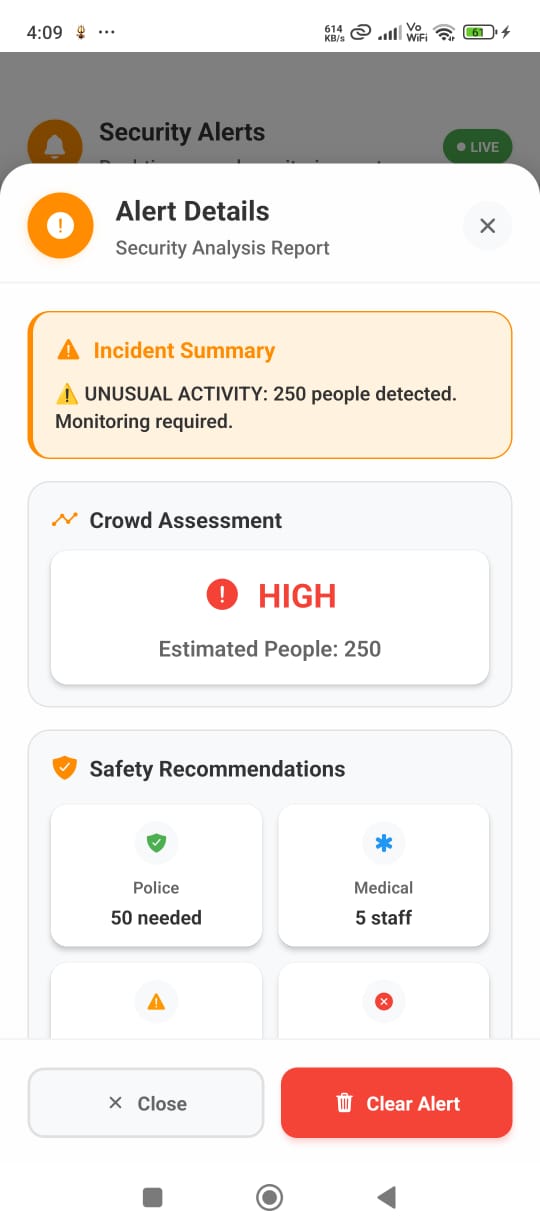
🔮 Future Scope
Advanced Features
- Drone Integration for aerial surveillance covering blind spots
- Advanced CCTV Integration for automated video flow processing
- Voice Monitoring capabilities for distress call detection
- Machine Learning Models with reinforcement algorithms for incident prediction
- City Infrastructure Integration with traffic systems and public transportation
Scalability
- Adaptation for other large-scale events
- Smart city implementations
- International religious gatherings with multi-language support
- Cultural customization for different regions
🤝 Contributing
- Fork the repository
- Create a feature branch (
git checkout -b feature/AmazingFeature) - Commit your changes (
git commit -m 'Add some AmazingFeature') - Push to the branch (
git push origin feature/AmazingFeature) - Open a Pull Request
📄 License
This project is licensed under the MIT License - see the LICENSE file for details.
👥 Team
Team ID: TH1296
📱 Mobile App Troubleshooting
Common APK Installation Issues
- Installation Blocked by Security
# Solution: Enable Unknown Sources Settings → Security → Unknown Sources → Enable - Permission Denied Error
```bash
Grant all required permissions during installation
- Location Access
- Camera Access
- Storage Access
- Network Access ```
- App Crashes on Startup
```bash
Check system requirements
- Android 6.0+ required
- 2GB RAM minimum
- 100MB free storage ```
- GPS/Location Not Working
# Enable location services Settings → Location → Enable Settings → Apps → Trinetra → Permissions → Location → Allow - Network Connection Issues
```bash
Check network settings
- WiFi or 4G/5G connection required
- Firewall settings
- VPN conflicts ```
📞 Support
For support and questions, please contact the development team or create an issue in the repository.
Trinetra - Ensuring safety and peace of mind for millions of pilgrims through the power of AI and technology.